PIV miniDriver and Management Tool - Windows
Last updated 2026-06-01
Overview
This page provides resources and guidance for using the PIV miniDriver / middleware and accompanying management tool on Windows. These tools enable basic configuration and PIN management for Token2 devices operating in PIV mode. Tools for macOS and Linux will be provided later.
Requirements
PIV functionality is available only on devices running firmware version 3.3 or newer.
Administrative privileges are required to install the miniDriver/middleware and run the beta management tool.
PIV miniDriver / Middleware (Windows)
The PIV miniDriver / middleware allows Windows to recognize and communicate with your Token2 key in PIV mode. It supports standard smart card authentication interfaces and enables secure PIV-based logins and certificate access.
Installation: Download and install the middleware package , available as an EXE installer or MSI package (for deployment via Group Policy or other management tools). Administrative privileges may be required. Please note that the miniDriver is required for operations like certificate enrollment as a part of AD policy.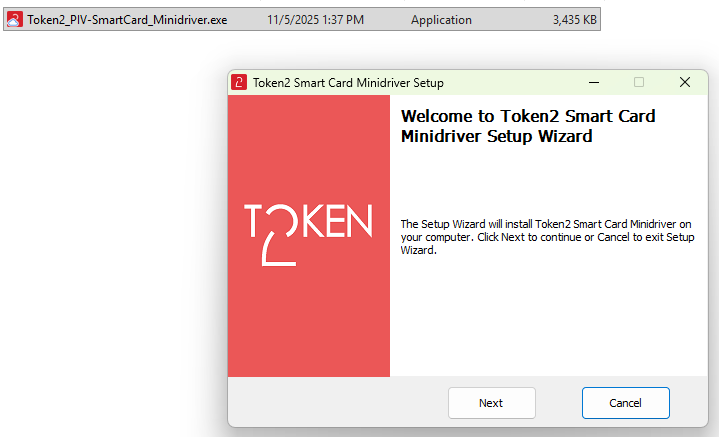
PIV Management Tool
We are releasing a set of PIV Management Tools included in the new version of our Companion desktop app. It enables basic operations such as viewing certificates and changing the PIV PIN.
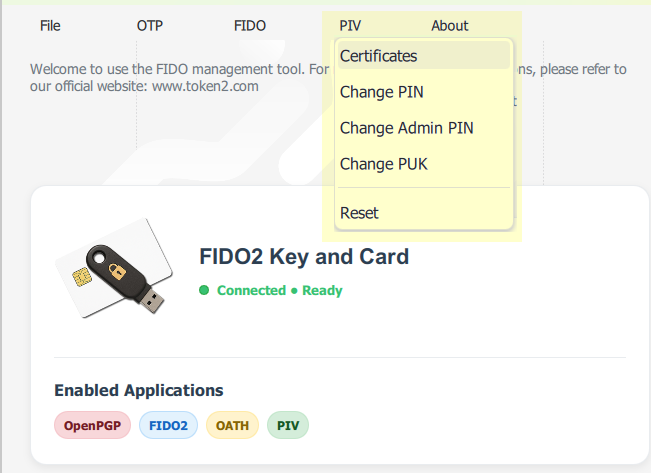
⚠️ Important Notes:
- Administrator rights are required to run some features of this tool.
- PIV Management is available on the desktop version of the Companion app
Default PINs
Default User PIN (6-digit): 865362
Default User PIN for Octo models (8-digit): 88653622
Default PUK: 86536286
Default Admin PIN: 865362865362865362865362865362865362865362865362
Future Updates
We are actively developing a complete PIV management suite for Windows with a modern interface and expanded functionality. The current beta release is a temporary workaround, and a finalized toolset will be available soon.
Stay tuned — this page will be updated with new versions and release notes as they become available.
Summary – Downloads
The following tools are referenced on this page and are available for download:
-
Companion App
Contains PIV Management tools
Companion App Page -
PIV miniDriver
The PIV miniDriver / middleware allows Windows to recognize and communicate with your Token2 key in PIV mode
Download EXE | Download MSI